Research the Previous Lender


|
Research the Previous Lender |
|
|
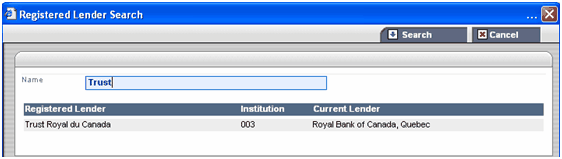
The current name of the Previous Lender may differ from the name of the Lender written on the Discharge document. You can get the current name and address of the Previous Lender by searching using the Search button to the right of the Registered Lender field.
The window Registered Lender Search is displayed.
The name of the Lender matches your search criteria appears in the same window in the section Registered Lender.
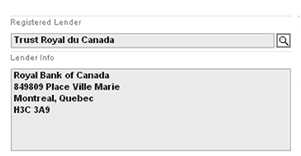
The name and address of current Lender appear in the text box Lender Info
Note: All information required to complete the appearance will be forwarded in the Certified Payout Statement and will be merged in the Discharge document. |